

 Next Generation Gift Card
FAQ
Buying & Selling Gift Cards
Save more by buying discounted gift cards or selling unused balances.
Yes. You must be signed-up to buy or sell gift cards securely.
2. Is trading gift cards safe on PlusGiftCard? Yes. All trades happen within a secure, encrypted system with instant wallet updates.
3. Where can I view my Trade history? You can track all Trade Buy and Trade Sell activity under Reports > Trade History.
No. PlusGiftCard does not charge any listing or transaction fees and is completely fee-free.
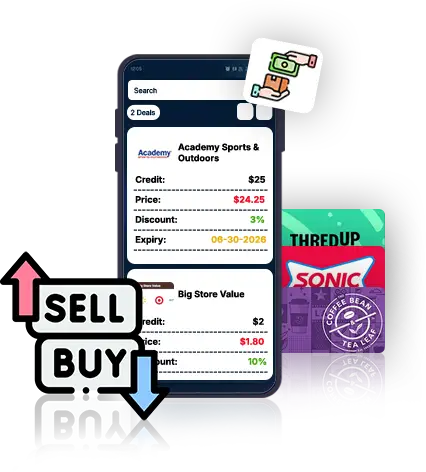
Trade Buy lets you purchase e-gift cards listed by other users (sellers) and receive them instantly in your wallet.
Use the Search bar to look up brands, apply brand filters, or sort offers by price (Low–High or High–Low).
Each listing shows the brand, seller comments, discount, price, and expiry date before you place an order.
Yes. Clicking Select opens a Preview Order where you can double-check all details before buying.
Instantly. Once you place the order, the gift card balance updates in real time in your PlusGiftCard wallet.
All trades happen inside PlusGiftCard. The gift card balance is released to you instantly only after your payment is confirmed—no manual handoff, no risk.
Payment process is exactly the same whether you are buying gift cards directly from PlusGiftCard or buying from other sellers. You can use either your saved credit cards or use a new credit card.
Buying from sellers often means better value. You can get gift cards at discounted rates while still enjoying the same brand redemption benefits.
Trade Sell allows you to list your unused e-gift cards for sale directly from your wallet.
Select a gift card from My Wallet, set your price, discount, expiry, add comments, preview the order, and place the listing.
You can list multiple gift cards for sale—even from different brands.
Yes. You can edit or cancel the listing during the preview stage before placing the order.
Your listing remains active until the expiry date you set. Unsold cards stay safely in your wallet.
Instantly. Once a buyer completes the purchase, funds are credited to your wallet immediately. And, then you can submit a request for withdrawing cash.
Yes. Adding a discount helps attract buyers and improves the chances of a quick sale.
Yes. You can cancel your listing anytime by clicking Cancel. Once cancelled, the gift card is removed from Trade and returned safely to your wallet.
Unfortunately at this time, we only support buying and selling gift card issued through Plusgiftcard platform.