 Next Generation Gift Card
Get a $20 New Account Bonus
Create your free PlusGiftCard account, link an eligible debit or credit card, and make at least $25 in qualifying purchases to earn your $20 bonus.
Unlike traditional gift card platforms, PlusGiftCard gives you more flexibility to redeem, regift, swap or sell eligible gift cards—plus secure single-use redemption, real-time balance tracking and cashback on eligible purchases.
Why create a PlusGiftCard account?
Your free account gives you more ways to manage your gift cards and keep everything in one place.
Earn Cashback
Get cashback on eligible gift card purchases.
Track Balances
See your PlusGiftCard balances in one convenient place.
More Ways to Use
Redeem, regift, swap or sell eligible PlusGiftCard purchases.
Secure Experience
Redeem with a single-use code. Keeps your balance safe.
How to earn your $20 sign-up bonus
Three simple steps. The requirements are shown upfront so you know exactly how the offer works.
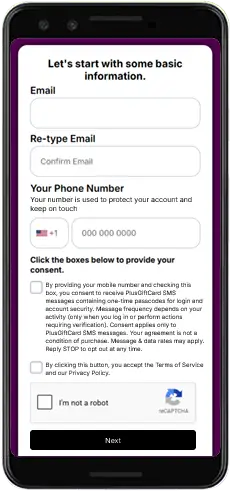
Create Your Free Account
Sign up for PlusGiftCard and add your email and mobile number.
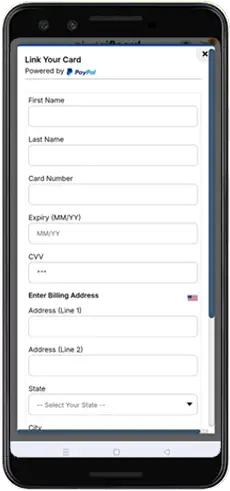
Link Your Card
Securely add an eligible debit or credit card to make purchases and qualify for the new-account bonus.
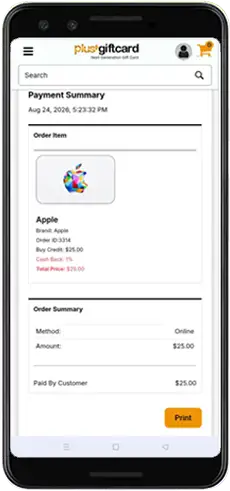
Spend at Least $25
Make at least $25 in qualifying purchases through PlusGiftCard.
Let’s get started
Create your account with just the basics. You can complete the bonus requirements after your account is set up.
- No account fee
- Email and mobile verification
- Cashback on eligible purchases
- Real-time gift card balance tracking
Let's start with some basic information.
Clear terms, no surprises
The $20 New Account Bonus is a promotional offer from PlusGiftCard for eligible new customers. No purchase is required to create a PlusGiftCard account. To earn the bonus, you must complete at least $25 in qualifying purchases and satisfy all other offer requirements.
A digital gift card marketplace
PlusGiftCard is a U.S.-based digital gift card marketplace where customers can buy, send, redeem and manage gift cards from participating brands.
How to use your PlusGiftCard balance
Once value is available in your PlusGiftCard account, redemption is simple.
Open Your Wallet
Confirm your available PlusGiftCard balance.
Go to Redeem
Enter the store name and checkout amount.
Get Secure Code
Receive a secure single-use payment code or QR.
Pay & Done
Use the code in the store’s gift card payment section.