

 Next Generation Gift Card
FAQ
Sending & Receiving Gifts
Send, claim, and manage digital gift cards with ease.
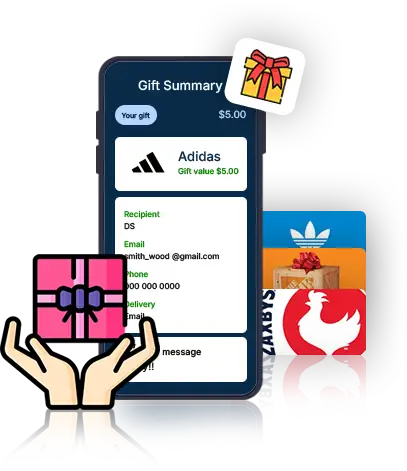
It’s a digital, flexible gift card you can use, gift, regift, reload, or track in one place.
Yes. You must sign up to send gifts.
Log in, open Menu, select Gift, and choose a recipient.
Yes. Just enter their email and they’ll get an invite.
Yes. You can gift directly from your wallet.
Yes. You can buy new gift cards and gift them instantly.
Yes. Enter any custom amount you want.
Yes. Gifts are delivered right after confirmation.
Yes. You can include a personal note at checkout.
Check Wallet to view your gifting history anytime.
Yes. All gifts are 100% digital.
No. An email address is enough.
Yes. You can save a nickname for easy access later.
Yes. You see a full summary before submitting.
No. Gifting on Plus Gift Card is free.
You get instant confirmation on screen.
Yes. A printable gift summary is available.
Yes. PlusGiftCard works 24/7.
You’ll get an email notification instantly.
You’ll receive an email notification about the gift. To use it, visit our official website (www.PlusGiftCard.com) or download the PlusGiftCard app and sign up—once you’re in, the gift appears in your wallet and is ready to use.
No. The gift cards appear automatically in your wallet.
Yes. They are ready to use immediately.
Your gift cards will stay until you use them.
Yes. You can re-gift, share, or transfer them.
Yes. All spending appears in your Wallet.
You can trade the gift cards on PlusGiftCard marketplace.
No. PlusGiftCard gift cards never expire.
Yes. Signing up lets you access and manage your gift cards.
They show up in your PlusGiftCard wallet.
Yes. All gift cards add up in your wallet.
You may use them anywhere the brand accepts gift cards.
You can. You can add more balance anytime.
Yes. Split and gift any unused value.
Yes. Your wallet is protected by secure login.
Your sender’s details appear in your email as well as in your history.
Yes. Trade them inside PlusGiftCard marketplace.
It stays in your wallet until you’re ready.